Your AI-powered command center for every site you manage
DashCanopy brings monitoring signals, visitor and revenue data, and AI-assisted analysis together in one view.
No charge for 7 days · Cancel any time
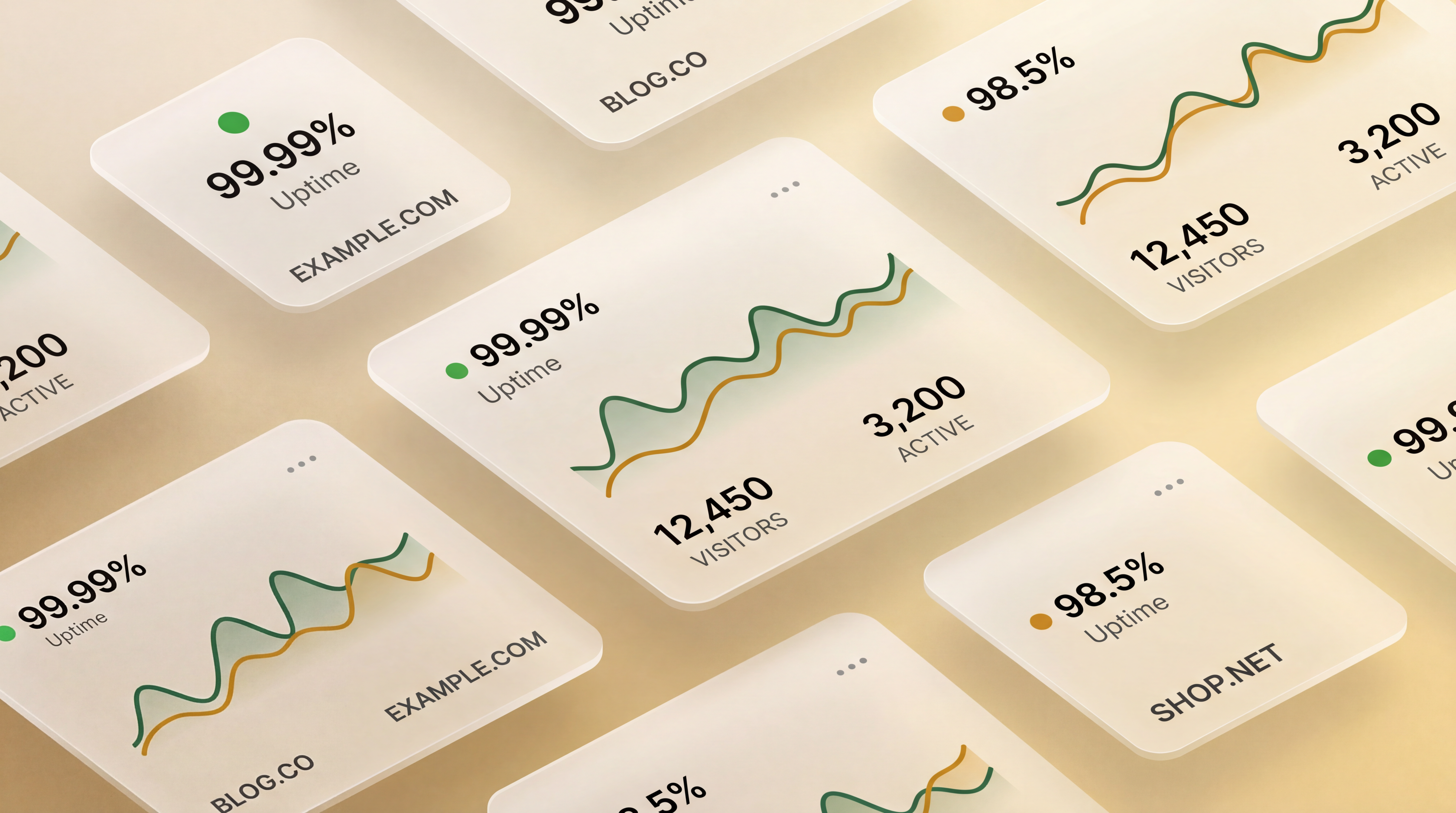
Portfolio monitoring
Track uptime and response time in one place
Designed for publishers and digital agencies
Meet Dash — your autonomous AI agent
Dash supports portfolio reviews, AI-assisted analysis, and user-authorized workflows from within your dashboard.
Try Dash free →Connection options for the sites you manage
 Shopify
 Squarespace
Compatibility depends on the site’s available API or integration options.
The problem
Managing multiple sites is chaos without the right tools
- ✕ You find out your site is down when a reader emails you
- ✕ Revenue and visitor stats live in 6 different dashboards
- ✕ You have no idea which sites are healthy right now
- ✕ Checking everything manually eats up your morning
The solution
One dashboard that tells you everything, instantly
- ✓ Health badges for sites with configured monitoring
- ✓ Visitor and revenue data from compatible connected APIs
- ✓ SMS alerts for eligible configured monitoring events
- ✓ Webhook events received through configured integrations
Features
Everything a publisher needs to stay in control
Monitoring, analytics, and alerts — all in one command center.
Uptime at a glance
See health badges for the sites you connect, helping you review monitoring signals without digging through server logs.
Visitor & revenue tracking
Connect your stats API once and see visitors, revenue, and trend sparklines directly on each tile. No more switching between dashboards.
SMS alerts on downtime
Configure SMS alerts for eligible monitoring events so you can respond promptly when a site needs attention.
Webhook event ingestion
Receive orders, signups, and errors from integrations configured to send events to DashCanopy in one unified feed.
Built for portfolios
DashCanopy offers plan options for growing portfolios; see pricing for current limits and availability.
Google Search Console
Connect GSC once and see clicks, impressions, average position, and your top queries per site — all inside the same dashboard.
AI tools built into your dashboard
DashCanopy offers AI-assisted dashboard features for compatible configurations. Available tools and requirements depend on your plan and enabled integrations.
AI Site Health Diagnosis
Get a plain-English health report for any site — score, grade, issues with severity levels, and a single top recommendation to act on right now.
AI Weekly Portfolio Digest
Generate a portfolio summary with highlights, flags, and recommendations. Delivery options depend on your enabled integrations and settings.
AI Content Gap Detector
Powered by your GSC data, the AI identifies high-value content topics your site is missing and ranks them by difficulty and search intent.
AI Competitor Spy
Enter any competitor URL and get a full breakdown of their content strategy, differentiation angles, and quick wins you can act on today.
AI Dashboard Chatbot
Ask questions about the portfolio data available to your dashboard and receive AI-assisted analysis in plain English.
AI SEO Brief Generator
Enter a target keyword and get a complete content brief — H1, meta description, full outline, LSI keywords, and featured snippet opportunities.
AI Site Description Auto-Fill
Adding a new site? AI reads the domain and auto-generates a short description, long description, suggested category, and tags in seconds.
AI Uptime Anomaly Alerts
When something looks off, AI explains why — likely causes, impact assessment, and specific steps to resolve the issue before it affects your readers.

Dash — Autonomous AI Agent
Use Dash to review portfolio information, generate analyses, and support user-authorized workflows from within the dashboard.
✦ Powered by Swarm IntelligenceSee it in action
Your site went down.
You found out from a customer.
DashCanopy brings monitoring signals, AI health scores, and configured alerts together so you can review your portfolio in one place.
Community stories
Verified experiences shared by DashCanopy users, when available.
No community stories are currently approved for publication. If DashCanopy has helped you, you can share an experience for review below.
Got a great result? Share it and get rewarded.
If DashCanopy helped you catch downtime faster, grow your traffic, or simplify your workflow — we’d love to feature your story on this page. In return, get a 20% discount on your next billing cycle or a free SEO checklist.
Takes 2 minutes · Reward sent on approval
REST API v1
One key for compatible integrations.
Send compatible stats, events, and revenue data through DashCanopy’s REST API. Review setup requirements for each connection.
curl -X POST https://dashcanopy.com/api/v1/push \
  -H "Authorization: Bearer dck_YOUR_KEY" \
  -H "Content-Type: application/json" \
  -d '{
    "site_url": "https://yoursite.com",
    "visitors": 1240,
    "revenue": 320.50
}'Pricing
Start free. Stay in control.
All plans include a 7-day free trial — no charge until you decide to stay.
Starter
For solo bloggers and new site owners
- ✓ Up to 5 sites
- ✓ Health checks every 10 min
- ✓ Visitor & revenue tracking
- ✓ Uptime status badges
- ✓ Email notifications
- ✓ BYOK: use your own API keys
Pro
For growing portfolios and publishers
- ✓ Up to 15 sites
- ✓ Health checks every 5 min
- ✓ Everything in Starter
- ✓ Webhook event ingestion
- ✓ SMS alerts (bring your own Twilio)
- ✓ Premium add-ons available
- ✓ Priority support
Agency
For agencies and large portfolios
- ✓ Unlimited sites
- ✓ Health checks every 1 min
- ✓ Everything in Pro
- ✓ BYOK: all keys supported
- ✓ REST API access
- ✓ Up to 5 team members
- ✓ White-label branding
- ✓ All premium add-ons included
- ✓ Dedicated onboarding
Need a tailored portfolio plan?
Review current plan options and contact details before choosing an enterprise arrangement.
Your key. Your data. Your privacy.
DashCanopy supports Bring Your Own Key (BYOK) workflows. When you configure an OpenAI key, DashCanopy uses it server-side to make provider requests on your behalf. Review the data practices and your provider's terms before enabling an AI workflow.
BYOK request handling
DashCanopy receives the request information needed to prepare a provider call and uses your configured OpenAI key server-side when BYOK is enabled.
Provider-account visibility
When you use your own OpenAI key, provider usage is associated with that account. Consult the provider dashboard and terms for current usage and billing details.
Your provider account
Your OpenAI account remains separate from DashCanopy. DashCanopy account retention and cancellation practices are described in the Privacy Policy.
Supported integrations
OpenAI
Required for AIPowers all AI features: diagnosis, content gaps, forecasts, chatbot, SEO briefs, and more.
Twilio
OptionalSMS downtime alerts from your own number — ~$0.0075/msg
Resend
OptionalEmail alerts & weekly digests — free tier: 100/day
Stripe
OptionalLive revenue tracking from your own Stripe account
BYOK key values are encrypted before storage and used server-side when needed for provider requests. You can remove a saved key from Settings → Integrations → BYOK.
DashCanopy has its own vocabulary
A few terms worth knowing before you dive in.
A 0–100 composite health metric for each site — uptime, speed, SEO grade, and AI diagnosis combined.
Multi-persona AI analysis where synthetic readers independently evaluate content and synthesize findings.
Your autonomous AI agent. Give it a task and step back — it audits, fixes, and reports.
A single site card in your dashboard showing health, visitors, revenue, and AI grade at a glance.
Frequently asked questions
Do I need a credit card to start the free trial?
+What happens when the trial ends?
+Can I switch plans?
+Is there a limit on webhook events?
+Does DashCanopy work with WordPress?
+Does it work with Shopify?
+Can I use DashCanopy with Wix?
+Does it work with Squarespace?
+Can I monitor a SiteGround-hosted site?
+Does it work with Square Online?
+Can I use DashCanopy with Webflow or Framer?
+Does it work with Ghost?
+Can I use DashCanopy with Hostinger or Hostinger AI Sites?
+Can I use DashCanopy without WordPress at all?
+What if my platform doesn't support custom code?
+How does the stats API integration work?
+Does DashCanopy work with MailerLite or email marketing platforms?
+What is BYOK (Bring Your Own Keys)?
+Do I need an OpenAI API key to use AI features?
+Why does DashCanopy insist on user-owned API keys instead of providing shared AI?
+Does DashCanopy see or store the content I send to OpenAI?
+What happens to my data if I cancel my DashCanopy subscription?
+Is it safe to store my API keys in DashCanopy?
+Can I use DashCanopy on my phone?
+Can I submit feature requests?
+What is Dash and what does it do?
+What is swarm intelligence and how does DashCanopy use it?
+Does Dash store or retain my site content?
+Stay ahead of downtime
Subscribe for DashCanopy updates and resources when they are available.
Review the Privacy Policy for current subscription and data-practice details.
Explore the Network
Part of the Taciturn Studios family of sites
🕷️CrawlFaster
Featured PartnerAn SEO crawler for site audits, broken-link detection, and technical SEO analysis.
ArborSage
Nature, gardening & outdoor living
Cover Crushing
Book cover design & self-publishing
My Author Voice
Writing craft & author platform building
Publishing Times
Publishing industry news & guides
High Fear
Horror fiction & dark entertainment
Decor Palm
Tropical & coastal home decor
Home Vibed
Modern home design & DIY
Luxbrook
Luxury lifestyle & premium products
Lifestyle Attract
Wellness, mindset & personal growth
Weird Burial Stories
Unusual history & strange tales
Stay in the loop
Subscribe for DashCanopy updates and resources when they are available.
Part of the Taciturn Studios Network